Trex IPTV 4K Streaming: Requirements, Quality and Compatibility
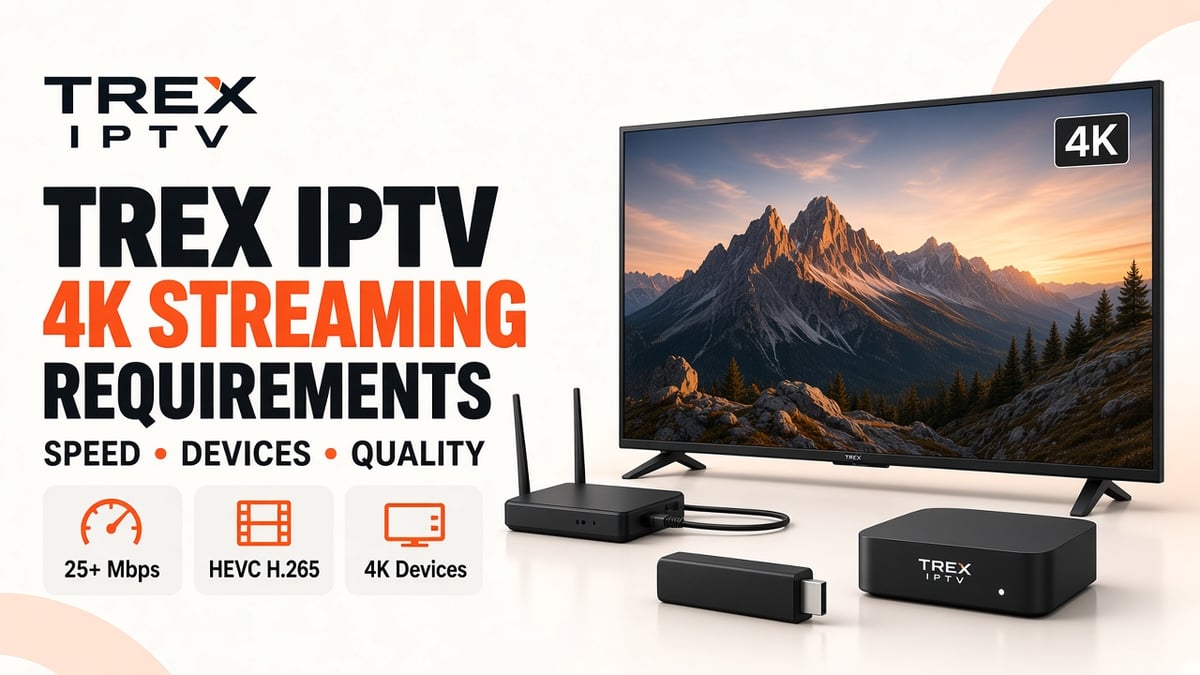
Watching television in 4K can provide sharper images, clearer details, and a more immersive viewing experience. However, getting smooth 4K IPTV streaming requires more than owning an Ultra HD television. Your internet connection, streaming device, IPTV player, and the actual video source must all support 4K playback.
If you are exploring Trex IPTV 4K streaming, it is important to understand these requirements before choosing your device or adjusting your settings. A service may list selected 4K content, but not every live channel or movie will necessarily be available in Ultra HD.
This guide explains the internet speed, hardware, video formats, and compatibility requirements for 4K IPTV. It also covers common playback problems and practical ways to improve streaming quality.
What Is 4K IPTV Streaming?
4K IPTV streaming delivers television content over an internet connection in Ultra High Definition (UHD) resolution.
Standard 4K UHD has a resolution of 3840 × 2160 pixels, compared with 1920 × 1080 pixels for Full HD. This means a 4K image contains four times as many pixels as a Full HD image.
The difference can be noticeable on larger televisions, particularly when the original video has been produced and delivered in genuine 4K quality.
| Video quality | Resolution | Main benefit |
|---|---|---|
| SD | 720 × 480 or similar | Basic picture quality |
| HD | 1280 × 720 | Clearer than standard definition |
| Full HD | 1920 × 1080 | More image detail |
| 4K UHD | 3840 × 2160 | Four times the pixels of Full HD |
However, a higher resolution does not automatically mean better overall picture quality. Bitrate, compression, source quality, and your display also influence the final result.
What Do You Need for Trex IPTV 4K Streaming?
For smooth Ultra HD playback, several technical requirements must work together.
1. A 4K-Compatible Television
Start with a television that supports native 4K UHD resolution. Most modern Samsung, LG, Sony, and other major-brand Ultra HD televisions support this format.
Check your TV specifications to confirm:
- Native resolution of 3840 × 2160.
- Support for the video formats used by your streaming device.
- Suitable HDMI ports if you use an external streaming box.
- HDR support if you want to watch compatible HDR content.
Remember that a television advertised as 4K cannot turn an ordinary HD source into genuine 4K content. Its upscaling feature may improve the appearance, but it does not create the missing original image detail.
2. A Stable Internet Connection
Internet speed is one of the most important factors affecting 4K IPTV playback.
A connection that works well for HD streaming may struggle with higher-bitrate Ultra HD content. The speed you need depends on the stream's encoding, bitrate, and network conditions.
| Streaming quality | Suggested connection speed |
|---|---|
| HD | 5–10 Mbps |
| Full HD | 10–15 Mbps |
| 4K UHD | 25–35 Mbps or more |
These are practical planning guidelines, not guaranteed minimums for every stream. Some 4K content may work at lower speeds with efficient compression, while demanding streams may require more bandwidth.
It is also important to consider other devices using your internet connection. If someone is downloading large files or watching another high-quality stream, the bandwidth available to your television may decrease.
3. A Compatible Streaming Device
Your device must be able to process the resolution and video format of the stream.
If you use a Smart TV, check its built-in playback and IPTV player compatibility. If you use an external device, make sure it supports 4K decoding and the relevant video codec.
Common device categories include:
- 4K-capable Android TV boxes.
- Compatible Amazon Fire TV devices.
- Apple TV 4K.
- 4K-capable Smart TVs.
- Compatible computers connected to a 4K display.
Not every model within these categories supports every codec or playback feature. Check the manufacturer's specifications before purchasing a device specifically for 4K streaming.
4. HEVC or H.265 Video Decoding
HEVC, also known as H.265, is a video compression standard commonly used for 4K content.
It can deliver high-resolution video more efficiently than older compression formats such as H.264. This helps reduce the bandwidth needed to transmit detailed video.
Your television, streaming box, or IPTV player must support the codec used by the source. Otherwise, the stream may fail to play, require software decoding, or be delivered in a different format if an alternative is available.
Is Every Trex IPTV Channel Available in 4K?
No. You should not assume that every channel or programme is available in Ultra HD simply because a service advertises selected 4K content.
The actual resolution depends on the original source and the stream provided for that particular channel or programme.
For example:
- A news channel may only provide an HD feed.
- A sports broadcast may have an HD version and a separate 4K version.
- A movie may be available in Full HD rather than Ultra HD.
- Some older programmes may have been produced in lower resolutions.
If 4K content is important to you, check the current channel and content availability before subscribing. You can also ask support whether a particular channel or programme has a genuine 4K stream.
How to Improve Trex IPTV 4K Streaming Quality
Even if your television and internet connection support 4K, poor network conditions or incorrect device settings can affect playback.
Here are some practical ways to improve the experience.
Use Ethernet When Possible
A wired Ethernet connection can provide more consistent network performance than Wi-Fi, particularly when the television is far from the router.
If you cannot use Ethernet, place your television near the router and use a suitable Wi-Fi band. A strong 5 GHz connection can offer better performance at shorter distances, while 2.4 GHz may provide better coverage through walls.
Check Your Actual Internet Speed
Run a speed test using the device or network connection you use for streaming.
Do not rely only on the speed advertised by your internet provider. Your actual speed can vary because of network congestion, Wi-Fi interference, and other connected devices.
Update Your IPTV Player and Device
Use a compatible IPTV player and keep it updated. Also check whether your television or streaming device has a pending software update.
Updates can improve application stability and resolve certain playback compatibility issues.
Avoid Unnecessary Background Downloads
Large downloads, cloud backups, and other high-bandwidth activities can reduce the bandwidth available for streaming.
Pause unnecessary downloads when watching demanding 4K content, particularly if several people share the same connection.
Common 4K IPTV Problems and Their Solutions
| Problem | Possible cause | What to try |
|---|---|---|
| 4K stream keeps buffering | Insufficient or unstable bandwidth | Test speed and use Ethernet |
| Black screen during playback | Codec or player incompatibility | Check device and player support |
| Picture looks like Full HD | Source may not be genuine 4K | Confirm the original stream resolution |
| Video freezes frequently | Network congestion or device performance | Restart the device and check the network |
| 4K content will not open | Unsupported format or playback error | Update the player and check codec support |
| Picture quality changes | Adaptive streaming or changing network conditions | Improve connection stability |
If the issue affects only one channel, the source stream may be the problem rather than your entire setup. Test other available channels before changing your device settings.
Trex IPTV 4K Compatibility Checklist
Before using an Ultra HD stream, review these requirements.
| Requirement | What to confirm |
|---|---|
| Television | Native 4K UHD resolution |
| Internet | Stable 25–35 Mbps or more as a practical target |
| Streaming device | 4K video decoding support |
| Video codec | Compatible HEVC/H.265 or required format |
| IPTV player | Supports the supplied playlist and video stream |
| Content source | Actual 4K version is available |
| Network | Strong Wi-Fi or preferably Ethernet |
This checklist helps identify compatibility problems before you start troubleshooting individual channels.
Frequently Asked Questions
Enjoy Better Streaming With the Right 4K Setup
A smooth 4K IPTV experience depends on more than the resolution printed on your television box. You need genuine Ultra HD content, a compatible IPTV player, suitable hardware decoding, and a stable internet connection.
Before choosing your setup, check your television's specifications, test your internet speed, and confirm which content is actually available in 4K. These steps can help you avoid common compatibility issues and get the best picture quality your equipment and source stream can deliver.
Visit the Trex IPTV website to review the available service information, supported devices, and subscription options before getting started.